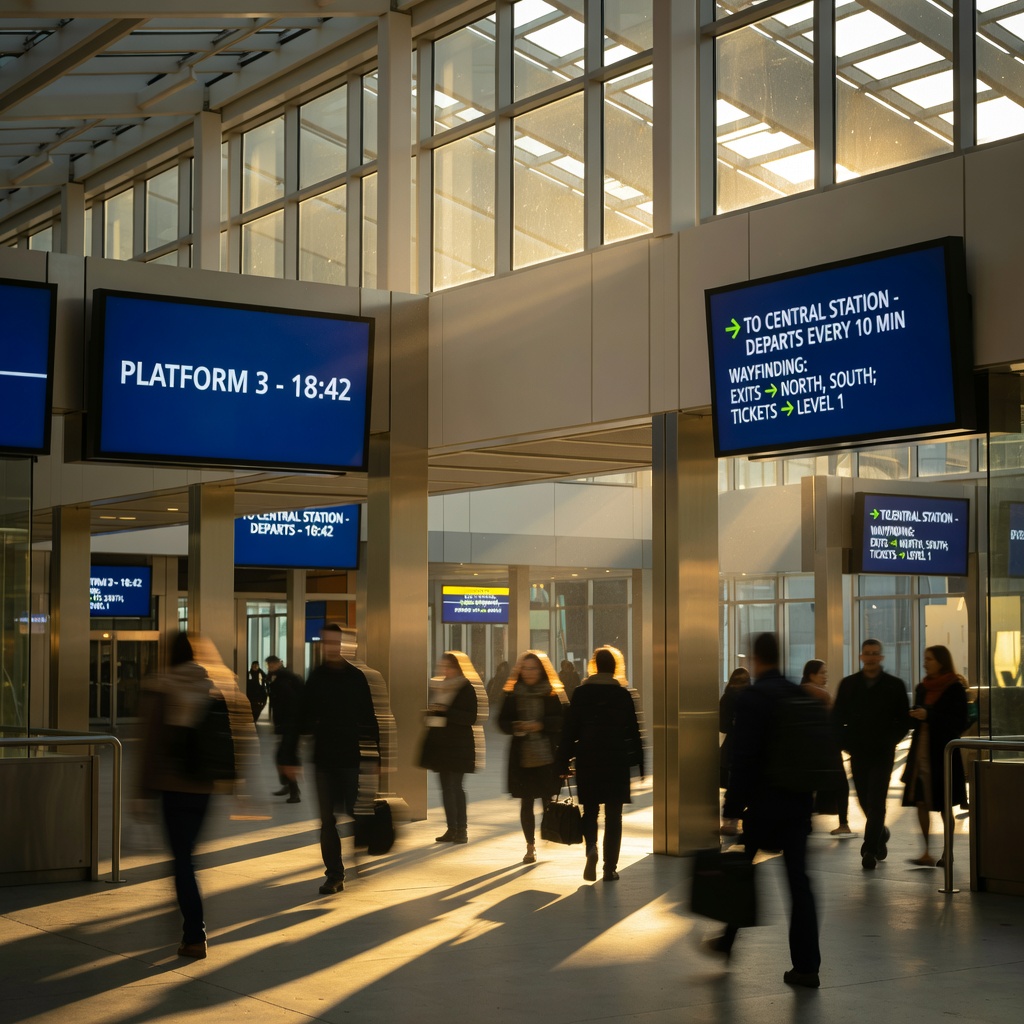
Digital screens are everywhere now — in lobbies, transit halls, retail floors, outdoor plazas, hospitals, and side streets. Most of the conversation about them lives in vendor decks and spec sheets. This site is the other thing: a working field reference, written by people who have stood in front of these installations and dealt with what happens when reality meets the plan. The digital-signage field spans dozens of hardware categories and thousands of deployment environments; the notes here focus on the practical problems that come up across all of them.
The questions we try to answer are the ones that do not have clean answers in a spec sheet. How do you keep a screen readable when the sun cuts across it at 2 pm? What happens to an enclosure when temperatures swing forty degrees between morning and night? How do you manage a fleet of displays across a dozen locations when the CMS fails a scheduled update silently? Professionals working through these problems — integrators, in-house AV teams, facilities managers, content operations staff — often turn to communities like the professional AV community for shared practice. This site is our attempt to put the field-tested parts of those conversations in one place, organized by problem rather than by product.
What follows is organized by the problems that actually come up:
A screen placed in direct sunlight is competing with an ambient light source that dwarfs anything indoors. The first thing that fails is contrast: dark elements go gray, thin typography disappears, and any reflective coating starts acting as a mirror rather than a display surface. The threshold where a panel starts to hold its own in direct sun is substantially higher than what most commercial indoor specifications reach — and that gap is a hardware problem, not a content problem. You cannot compensate for insufficient nits with a brighter color palette or bolder fonts, though content choices do help at the margins.
The trade-off between anti-glare surface treatments and raw brightness is one of the first decisions in any high-ambient-light installation. Anti-glare finishes scatter reflected light but reduce perceived sharpness; high-output panels push through ambient light but run hotter and draw more power. Placement solves more than hardware does: a north-facing screen in the northern hemisphere avoids direct sun contact entirely. A west-facing screen takes the worst afternoon exposure and typically needs both a brightness spec upgrade and a physical visor or canopy to manage the hours when low sun angles hit it nearly parallel to the surface. Sunlight readability covers how a display's brightness is rated, what the real-world thresholds mean in practice, and what to do when placement cannot be changed.
Outdoor screens fail in ways that indoor deployments never encounter, and the failure modes are rarely the ones the spec sheet prepares you for. Water ingress is the most common, but the cause is more often condensation than direct rain: when ambient temperature drops below the dew point, moisture forms on interior components even inside a sealed enclosure. Heat is underestimated even more consistently than cold — solar load on a dark enclosure surface can drive internal temperatures well above ambient, and the combination of panel heat, power supply heat, and direct sun in a poorly ventilated housing shortens component life on a timeline that surprises operators the first time they see it.
Protection ratings tell you what an enclosure survived in a lab. They do not tell you what it will survive after eighteen months on a coastal boardwalk, after the cable penetrations were resealed by a subcontractor, or after the enclosure has been opened six times for service. The gaskets, the sealing quality at penetration points, the airflow path, and how the unit is oriented relative to prevailing wind and rain direction all contribute to actual field performance. Outdoor and weatherproofing goes deeper into ingress-protection ratings and what they do and do not guarantee in a working installation.
Tiling multiple panels into a video wall introduces problems that single-screen installations do not have. Bezel alignment tolerances that look acceptable in a showroom become visible at the seams when content crosses them — a straight horizontal line that appears to jog up or down by a millimeter at each tile boundary is perceptible from thirty feet. Uniformity across the array matters too: panels from the same production run can vary enough in white-point and brightness that a white background looks patchy across a large installation, and that variation increases as panels age at different rates.
Heat management across a tiled array is different from managing a single large screen. Each panel contributes to the thermal load of the wall installation as a whole, and the panels in the center of a dense array vent into a smaller volume of air than those on the edges. Content scaling is another practical issue that is easy to underestimate: content mastered for a standard aspect ratio often does not translate cleanly to the proportions of a custom video wall, and a workflow that works for a single screen can break down entirely when the display surface spans twelve panels across three rows. Video walls and large format covers alignment, uniformity management, thermal planning, and the video wall format in practice.
A content management system that is working is invisible. One that is not working is invisible in a different way: a screen showing yesterday's promotion, a black screen where a playlist should be, or a frozen frame that has been up for six hours before anyone notices. Silent failures are the hardest category to manage in any CMS-driven network, and they are more common than vendors typically document. Update jobs that report success in the management console but never actually reach the device, playlists that skip a specific file type without logging the skip, and network interruptions that leave a device showing its last-synced content indefinitely rather than falling back to a defined default — these are not edge cases in real deployments.
Offline fallback is the feature that fleet operators most consistently wish they had specified more rigorously. A screen that loses network connectivity should have a defined behavior: a static fallback image, a local loop, or a clear visual indicator that it is offline. A screen that simply goes black, or freezes on the last frame, tells no one anything useful and often goes unreported. Scheduling failures — timezone mismatches, daylight saving transitions, content that expires but has no fallback assigned — are responsible for a disproportionate share of the calls that reach operations teams. Running the content covers scheduling, fallback design, fleet update strategies, and the categories of failure that industry coverage regularly surfaces as persistent operator pain points.
Public-facing screens carry accessibility obligations that are frequently treated as an afterthought and then addressed expensively after installation. Reach range is the most visible constraint: interactive displays and kiosks must position touch targets and controls within ranges that can be reached by a seated user, by someone of shorter stature, and by someone using a mobility device approaching from the side. Getting this wrong means a retrofit — lowering a wall mount, repositioning a floor stand, or adding a secondary access station — that is several times more expensive than designing for it from the beginning.
Contrast is the other common gap. Display content that looks fine to a designer on a calibrated monitor in a dim studio can fail contrast thresholds for low-vision users entirely. The relevant standards distinguish between large text, normal text, and non-text elements, and they specify minimum contrast ratios against the background. Audio output and captioning requirements apply wherever a screen is delivering content that includes spoken language or audio information. Accessibility and screens covers reach ranges, contrast requirements, captioning, and touch target sizing in the context of U.S. accessibility law and the web and display contrast guidance that provides the technical benchmarks most practitioners rely on.
Kiosks and self-service screens are used differently from displays, and they fail differently too. Touch surface durability is the first category: a panel in an unattended public environment accumulates contact hours that no consumer or typical commercial display is rated for, and the touch overlay degrades — in responsiveness, in calibration, and in appearance — much faster than the underlying panel. Stylus-type taps from rings, keys, and fingernails with nail extensions hit calibration assumptions that are built around a bare fingertip. An installation that passes factory testing can drift noticeably in a high-traffic location within a few months of deployment.
Throughput is the design problem that is hardest to predict from a single-unit demo. A kiosk that processes a transaction in forty-five seconds looks fast in a showroom and creates a six-person queue during peak hours in a transit station. Understanding the actual transaction time under real conditions — not the average, but the distribution including slow users, mis-taps, and re-entries — is necessary before the number of units in a deployment can be determined. Vandalism resistance, enclosure security, and the question of what happens to the device when someone holds the power button for ten seconds are all decisions that have to be made before the hardware goes into the field. Kiosks and self-service goes through the specific problems of hardware in unattended settings, wayfinding design, and managing throughput.
Start wherever the problem is. That is what the notes are for.